
Reclaim your disk,
and vet your packages
Cleanton is a native macOS app. It finds the space your tools leave behind, uninstalls apps along with everything they leave on disk, and scans your installed packages for the malicious code that has been turning up in npm and pip. You review everything, and what you pick goes to the Trash.



A look inside
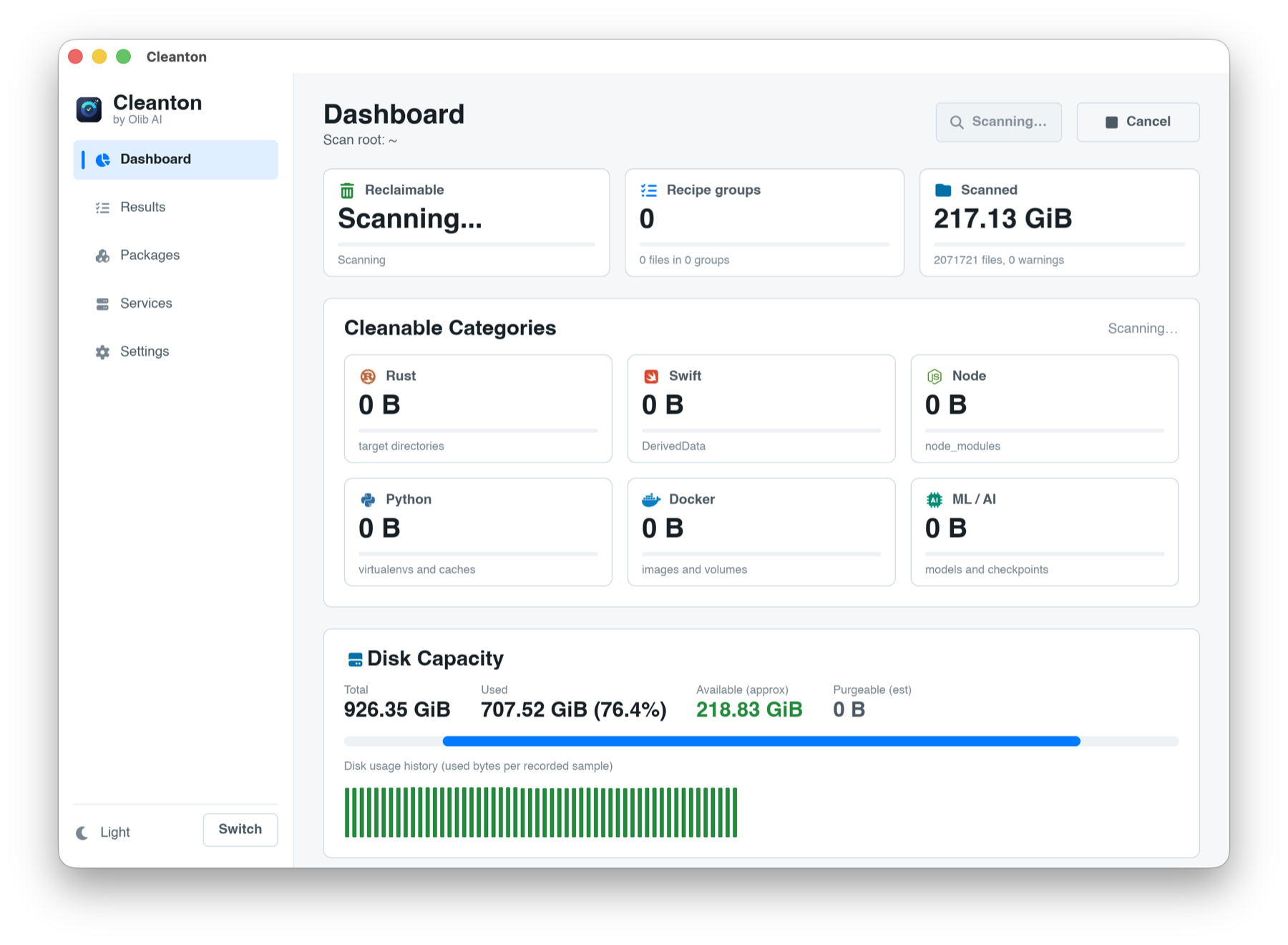
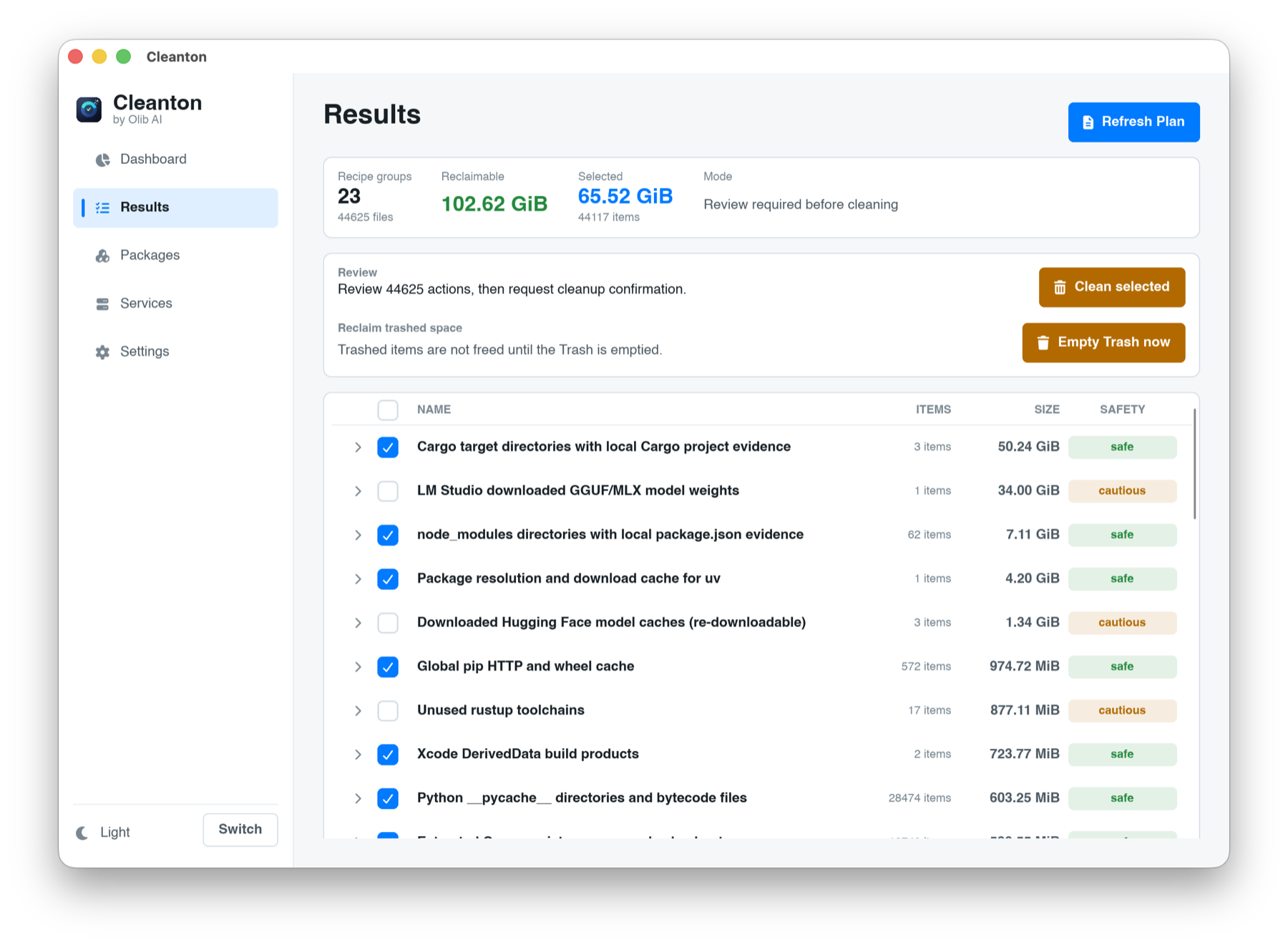
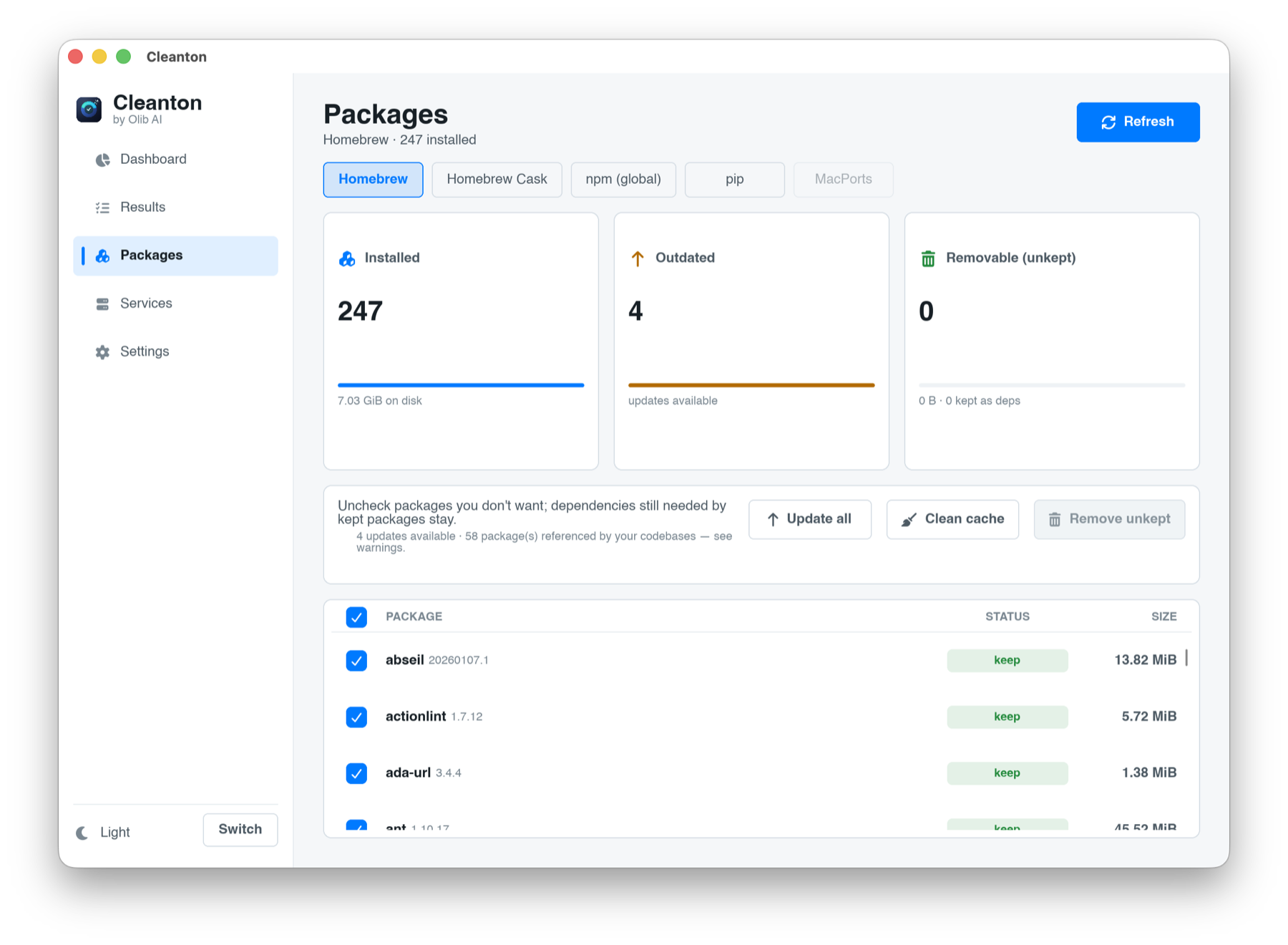
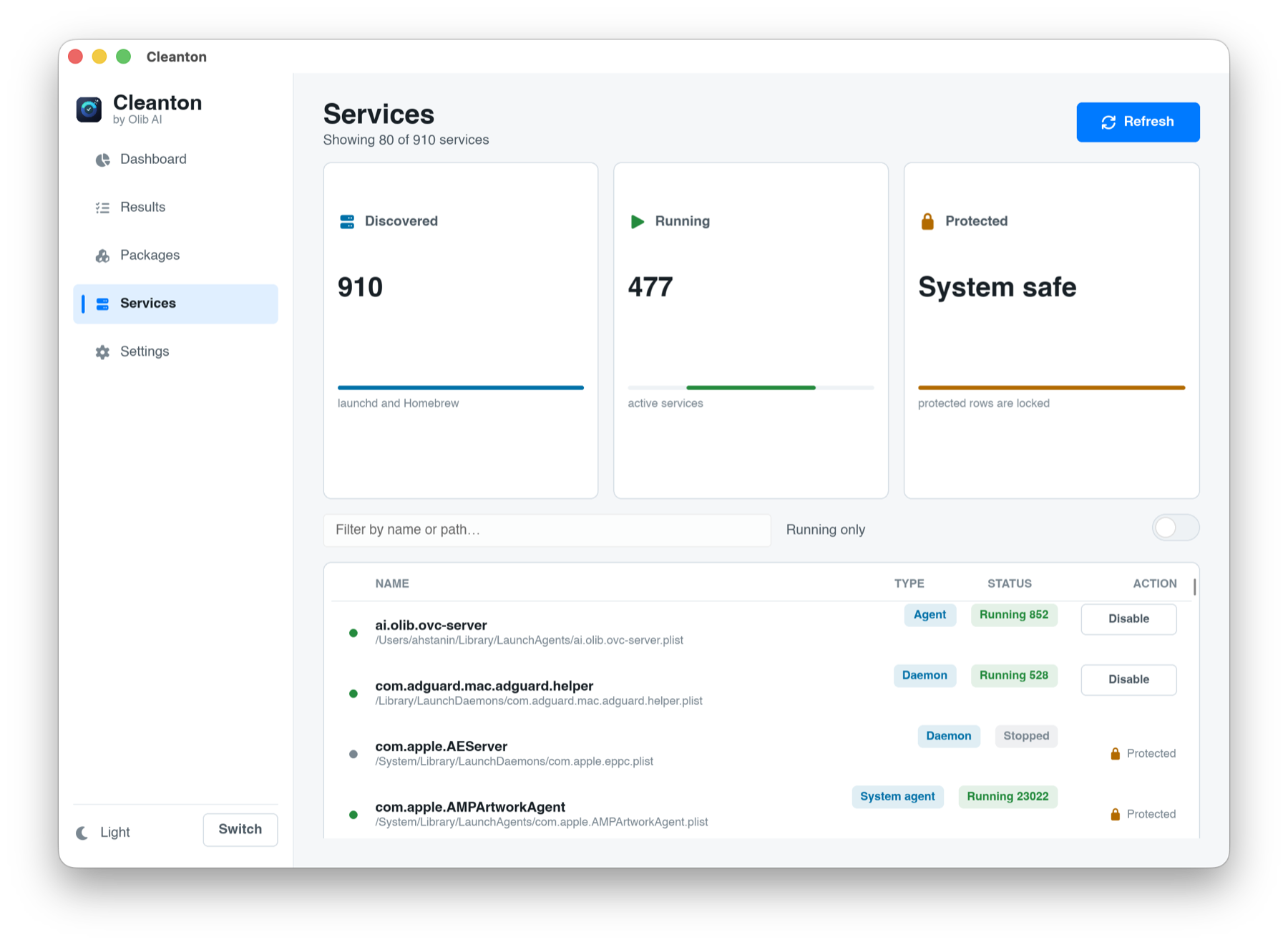
A native macOS app, plus a command-line tool that shares the same engine.
What it cleans
Cleanton knows where developer tools hide their caches and artifacts, and groups what it finds so you can act fast.
Rust
target directories, the Cargo registry cache, incremental builds, and sccache data.
Node
node_modules across your projects, plus npm, Yarn, pnpm, Bun, and Deno caches, and downloaded test browsers.
JVM and Android
Gradle caches and build outputs, the Maven repository, and Android Studio caches.
Swift
Xcode DerivedData, Swift Package Manager, CocoaPods, and Carthage.
Python
virtual environments and pip, uv, Poetry, and Conda caches.
More languages
Go, Ruby, PHP, .NET, Dart and Flutter, Elixir, Haskell, Zig, and their build and dependency caches.
IDEs and editors
JetBrains, VS Code, and Zed caches that rebuild themselves on the next launch.
Everyday apps
caches from Chrome and other browsers, Adobe media caches, Steam shader caches, Zoom, and old iPhone and iPad backups.
Docker
dangling images, build cache, and unused volumes.
ML and AI tools
model and checkpoint caches, Ollama and LM Studio models, and the caches from Claude Code, Cursor, Copilot, and other assistants.
System
Homebrew and Xcode caches, old logs, crash reports, and local Time Machine snapshots that quietly hold gigabytes on your startup disk.
Tools that put you in control, and never delete on their own
Applications
Uninstall an app and everything it leaves behind: the bundle plus its support files, caches, preferences, containers, launch agents, helpers, and home-directory data. Homebrew casks are removed through Homebrew too, and when you drag an app to the Trash yourself, Cleanton offers to clean up the rest.
Suggestions
Duplicate files, large folders, re-clonable git repositories, macOS screenshots and recordings, and old installers left in Downloads. Surfaced for review, never removed for you.
Packages
Review and clean npm, pip, Homebrew, and MacPorts packages, with dependency-aware removal and a warning when a package is used by one of your codebases.
Services
See launchd and Homebrew services and startup items, and disable or remove the ones you do not want. System services stay locked as protected.
Check your packages for supply-chain attacks
Attackers have been slipping malicious code into popular npm and pip packages, and into editor extensions. Cleanton scans the packages installed on your Mac and looks for the signs, reading the code without ever running it.
It knows the tricks
Install scripts that steal your tokens, code that phones home to unknown servers, names that copy a trusted package one letter off, and the self-spreading npm worms that republish themselves.
It learns your machine
The first scan records what you already have as trusted. After that, Cleanton only speaks up about what is new or has changed, so a normal setup stays quiet.
It catches quiet tampering
A package that changes on disk without a new version number is treated as a strong warning, because that is how a compromised update hides.
It only reports
When Cleanton flags something, it shows you where it is and the exact command to remove or reinstall it yourself. It never touches your packages.
Cleanton removes files. Read this.
You decide what goes, and you are responsible for the result. Cleanton is built to make that safe, but the final confirmation is yours.
- Removed items go to the Trash by default, so a mistake is recoverable until you empty it.
- A single action can free a lot of data. Read the plan and its sizes before you run it.
- Suggestions for large folders and re-clonable repositories are for review only. Cleanton never removes those automatically.
- Back up anything you cannot lose. If you are unsure what an item is, skip it.
Trash by default
Permanent deletion is never the default. What Cleanton removes, you can restore.
Review before action
Every scan shows the full list with per-item sizes. Nothing is removed until you confirm.
Signed and notarized
The app is signed with the Olib AI Apple Developer ID and notarized by Apple, so it opens without a Gatekeeper override.
Full detail in the safety guide.
Install
Cleanton is a macOS app for Apple Silicon. Install the app with Homebrew, or install the command-line tool with one command.
# App (macOS arm64), the recommended path:
brew tap olib-ai/tap
brew trust olib-ai/tap
brew install --cask cleanton
# Command-line tool (macOS arm64):
curl -fsSL https://raw.githubusercontent.com/Olib-AI/cleanton/main/scripts/install.sh | sh

# Show what is reclaimable, then send what you pick to the Trash:
cleanton plan
cleanton clean --yes

# Scan installed packages for supply-chain threats (reports only):
cleanton security
brew trust is a one-time step for third-party taps. Prefer a direct download? Grab cleanton-app-macos-arm64.tar.gz from the latest release and move Cleanton.app to your Applications folder. Either way the app is notarized and opens cleanly. The standalone command-line tool is quarantined by macOS on direct download; the installer script clears that for you, and the install guide covers the manual step.